Currency Page
Configure supported currencies, location-based switching, and how storefront prices are displayed.
General Settings
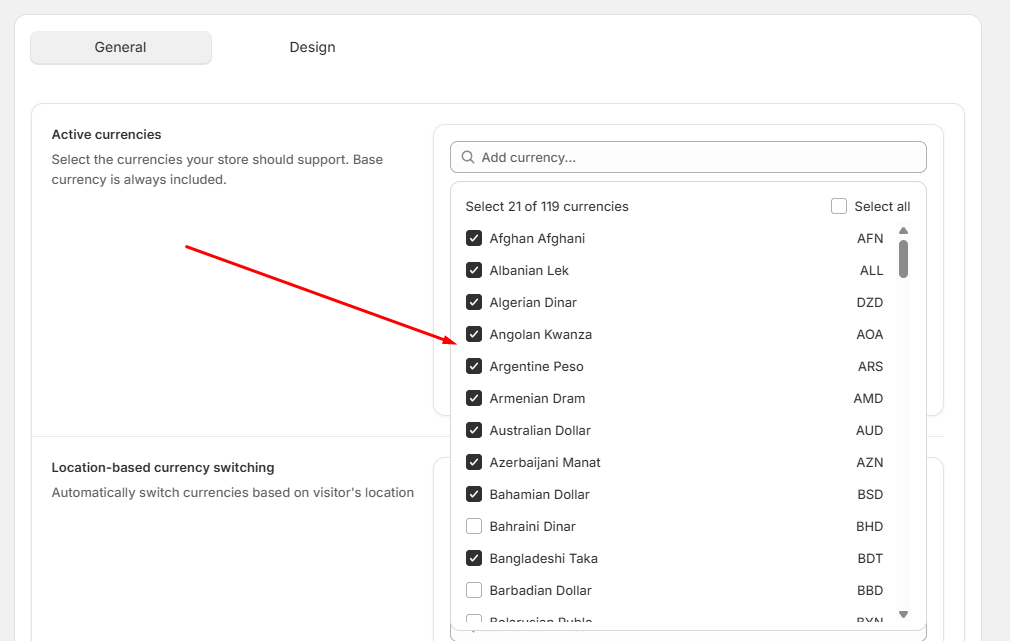
Use the currency page to control which currencies are available to your visitors.
Active currencies: Pick the currencies your store supports. Your base currency is automatically included.
Location-Based Switching
Available controls
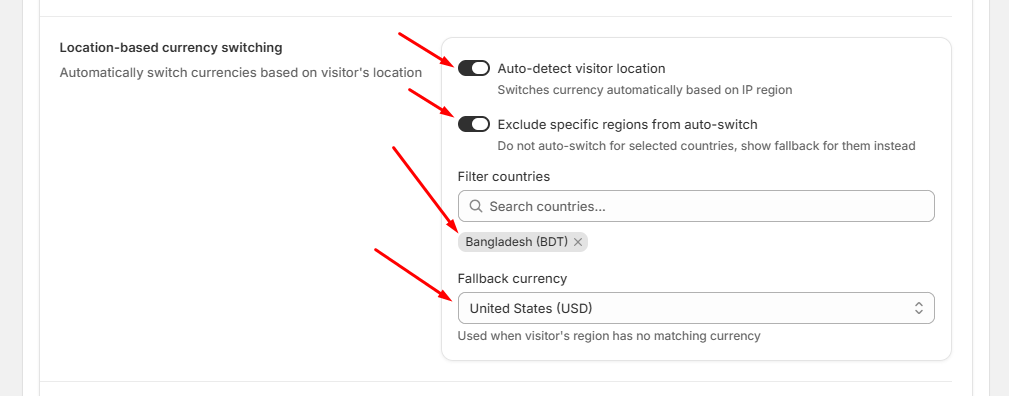
- Auto-detect visitor location: Automatically shows local currency based on IP. Note: This will not work if the customer is using a VPN.
- Exclude Specific Regions: Prevent auto-switching for specific countries if desired.
- Fallback Currency: Displays your store's default currency if the visitor's location is not in your active list.
Price Display Format
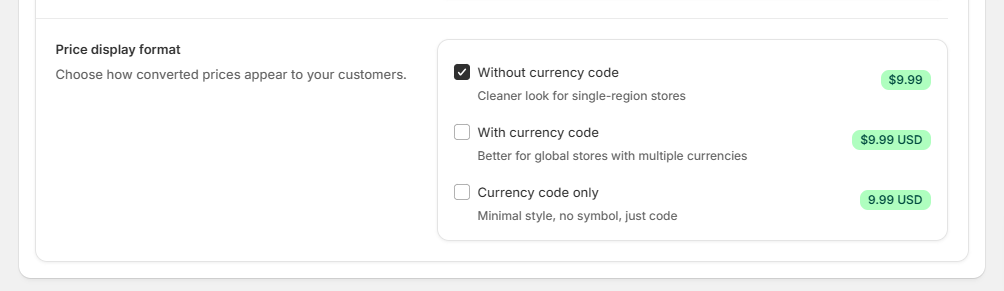
Choose how your prices appear throughout the storefront.
Display options
- Without Currency Code: e.g., $9.99
- With Currency Code: e.g., $9.99 USD
- Currency Code Only: e.g., 9.99 USD