Settings Page
Control the app's core conversion behavior, rate updates, and storefront recovery options.
General Tab
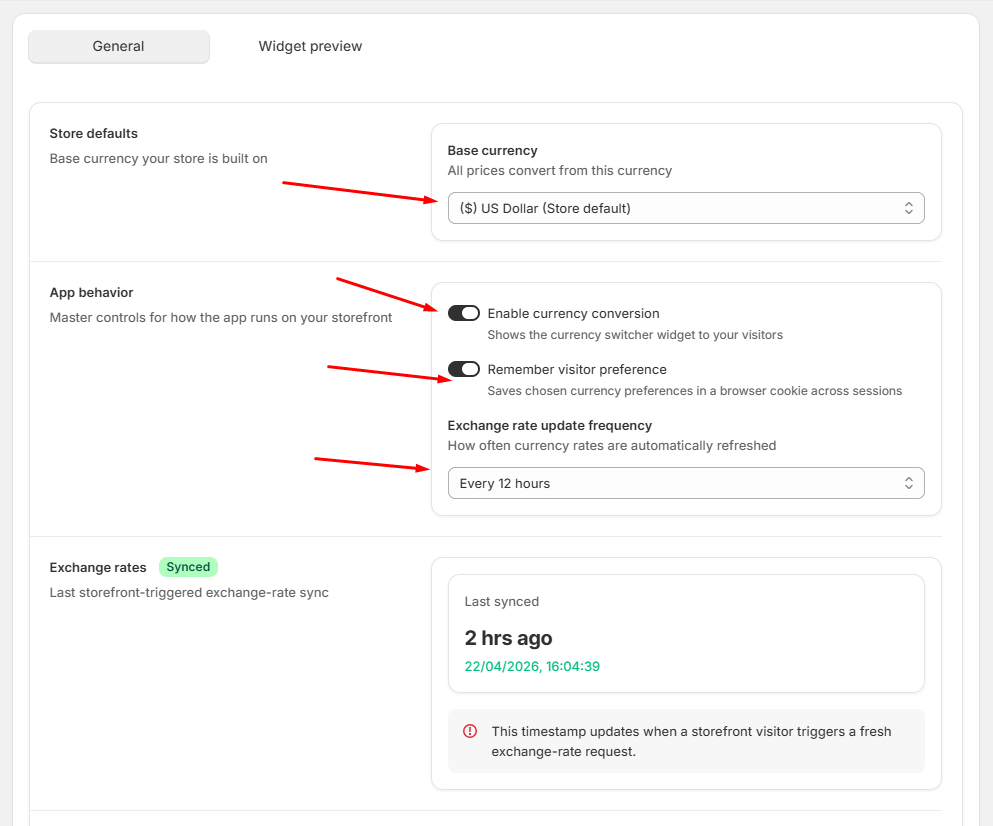
General settings
- Base Currency: Set the core currency used for all conversions.
- App Behavior: Control the storefront wizard visibility.
- Enable Currency Conversion: Unchecking this option will immediately stop all currency conversions on your storefront.
- Remember Visitor Preference: Uses browser local storage to save the customer's preferred currency until they clear their cookies.
- Exchange Rate Update: Rates sync every 6, 12, 24, or 48 hours based on your settings.
Important Note: To restore Shopify's default currency behavior, you must revert the changes made to your Shopify Currency Formatting settings.
Restoring Defaults: If you choose to uninstall the app or want to return to your original store look, go to your Shopify Admin settings and clear all the input fields where you previously added the Qorix code. Once these fields are empty and saved, Shopify will automatically revert to its native price formatting.
Danger Zone
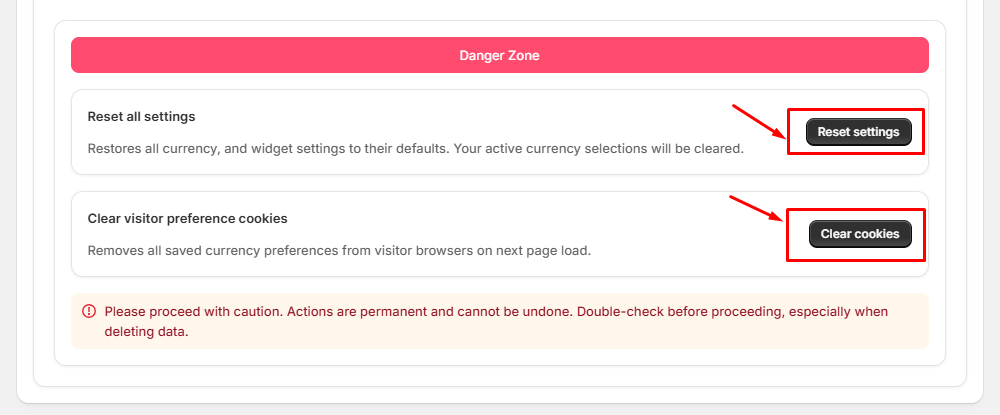
High impact actions
- Reset All Settings: Restores all currency and widget settings to defaults. Clears active selections.
- Clear Visitor Cookies: Removes saved preferences from all visitor browsers on their next page load.