
Quick Setup Guide
The 3-Step Process
When you install the app, your dashboard will show a 3-step guide to get you started.
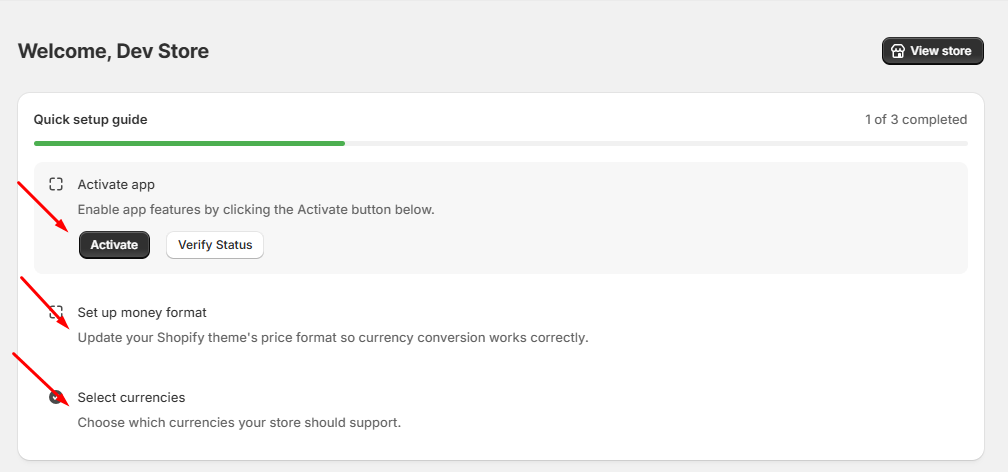
Step 1: Enable Theme App Embed
To show the currency switcher on your storefront, you must enable the App Embed.
How to enable it
- Click the "Active" button on the dashboard.
- You will be redirected to the Shopify Live Theme Customizer.
- Ensure the Qorix toggle is ON and click the Save button.
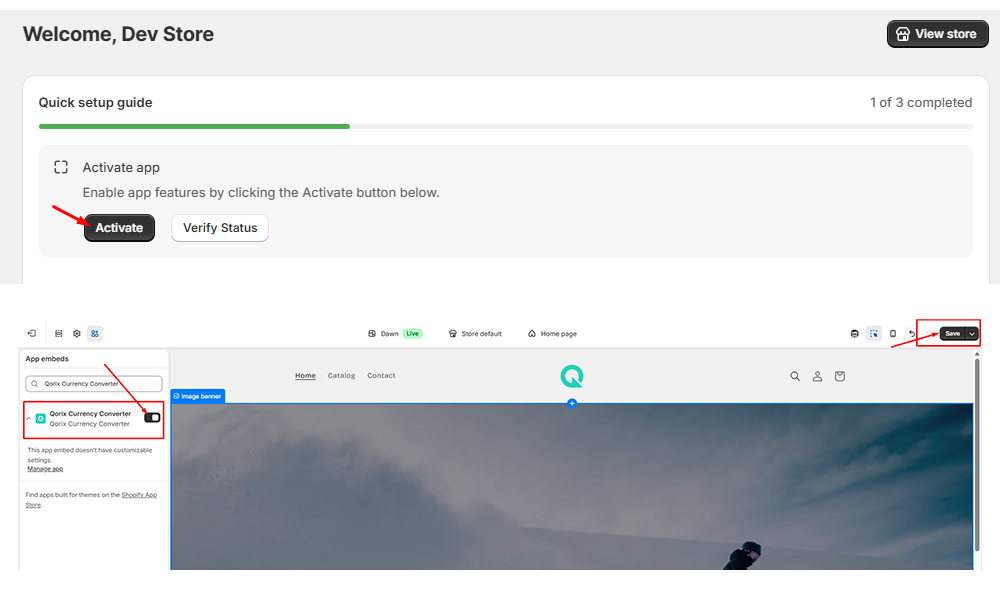
Note: If you do not click Save, the app will not work.
Go back to the app dashboard and click Verify Status to confirm success.
Step 2: Money Format Configuration
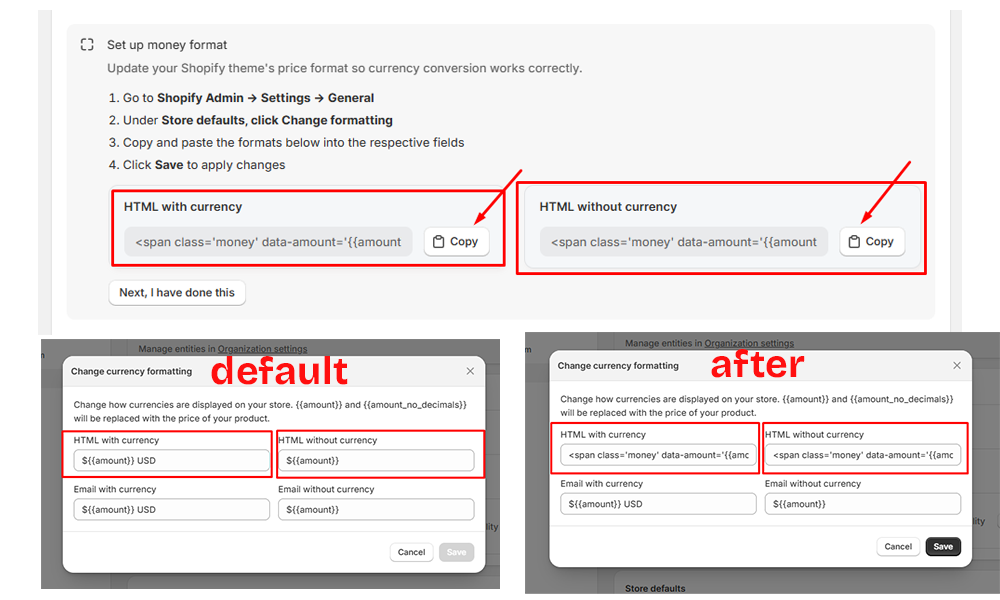
This is the most important part of the setup. You need to update your Shopify settings so the app can change prices.
Configuration steps
- Go to Shopify Admin -> Settings -> General.
- Under Store Defaults, click Change Formatting.
- Copy the two code snippets provided in the Qorix dashboard.
- Paste them into the respective fields (HTML with currency and HTML without currency).
- Click Save.
Step 3: Select Currency List
Choose the countries and currencies you want to add to your store.
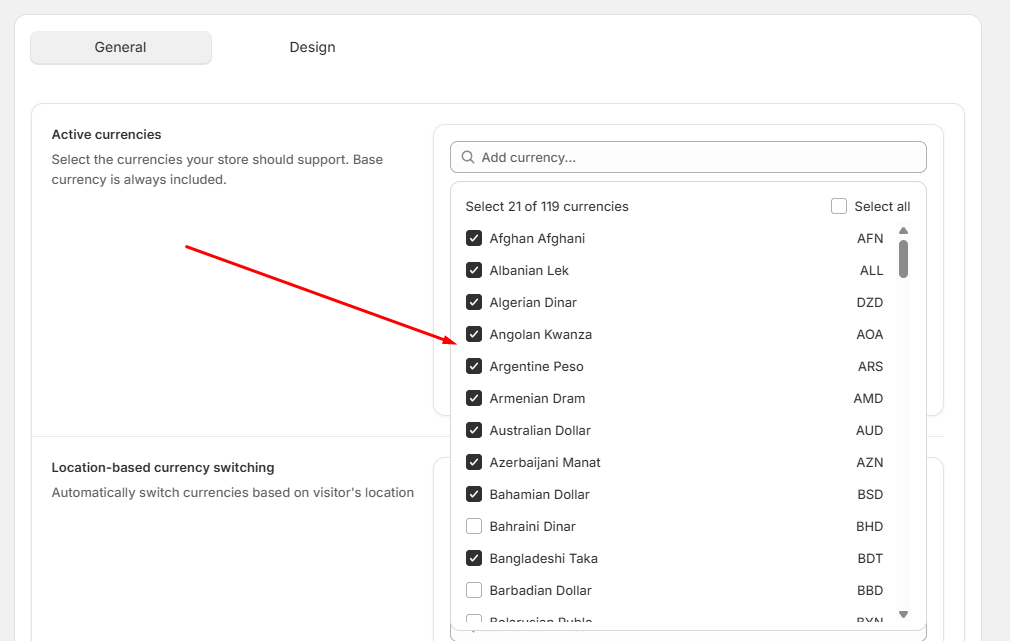
Options
- Click Go to Currency to manage your list on the 2nd page.
- Click I have done this to use the default currency wizard settings.